Events
View upcoming webinars, seminars and live events.
Step-by-Step Guide
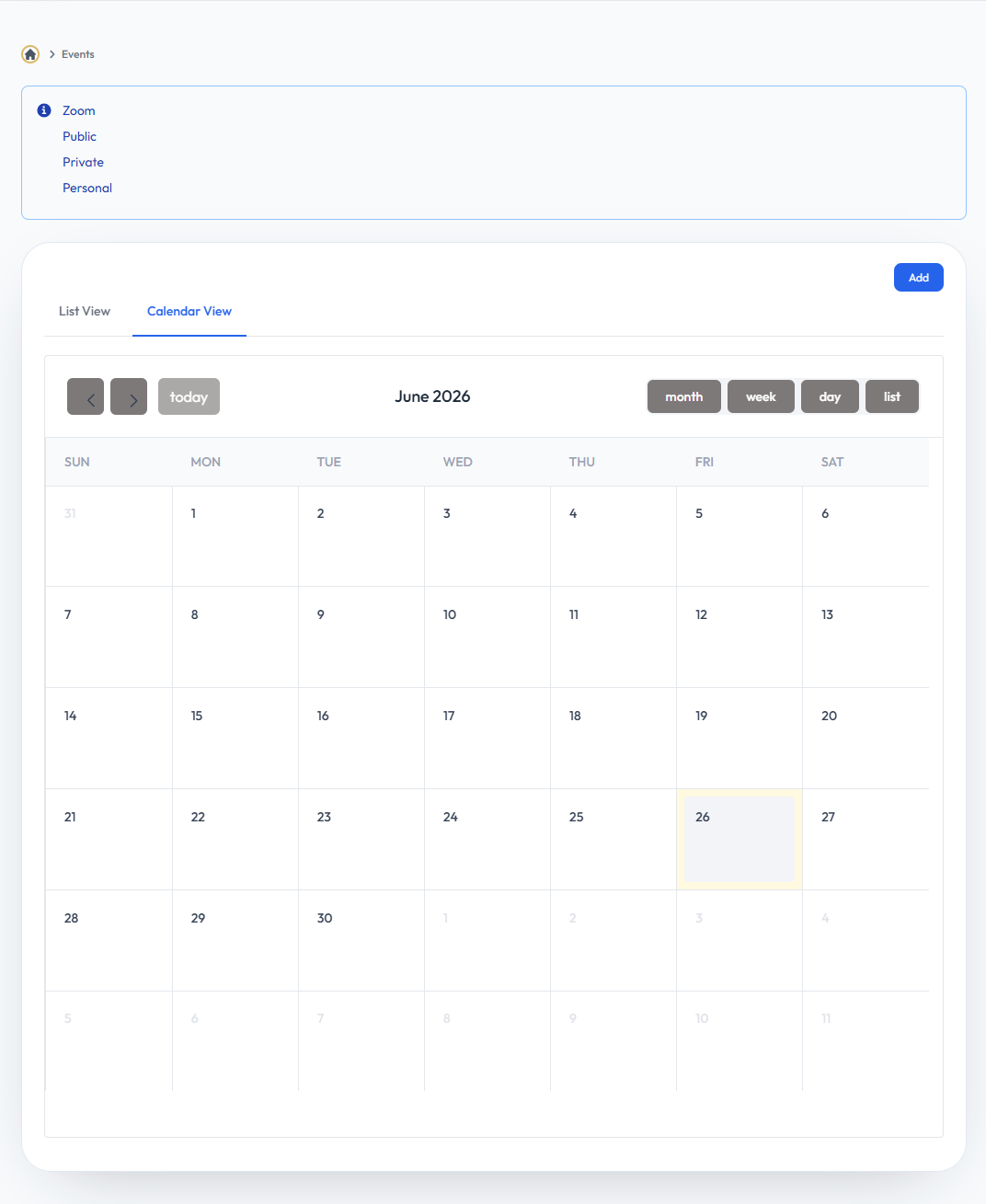
- Event Overview: View the general overview of upcoming webinars, seminars, and live events available to your network.
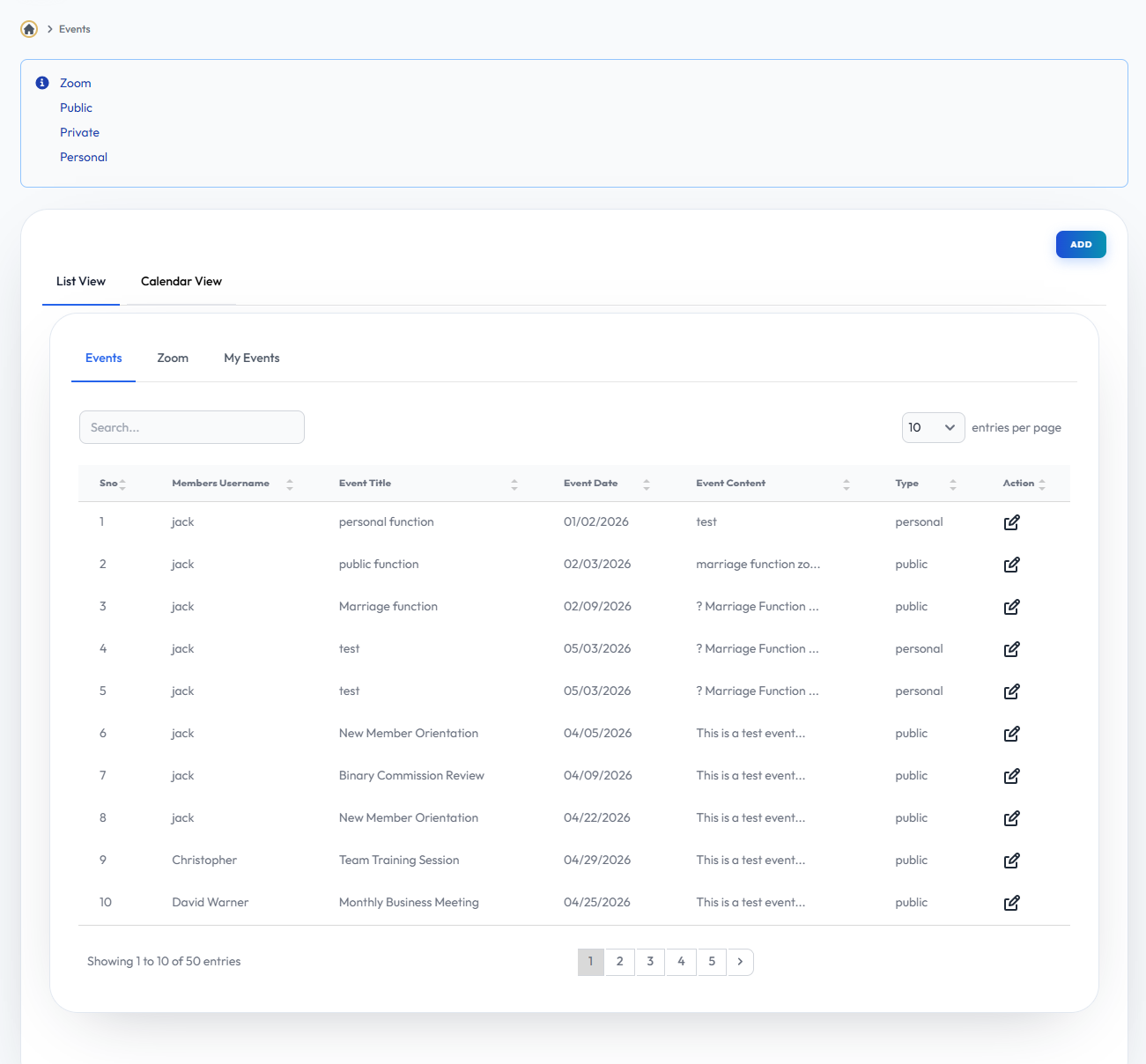
- Event List: Browse through a comprehensive list of all scheduled events and check their details, dates, and locations.
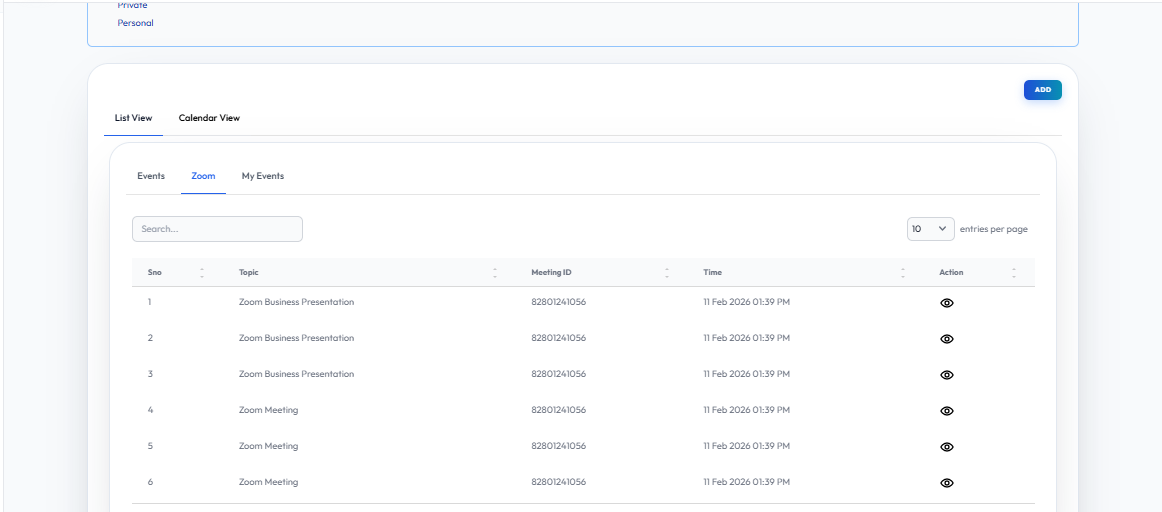
- Event Zoom: Access and join virtual meetings directly via Zoom integrations provided in the event details.
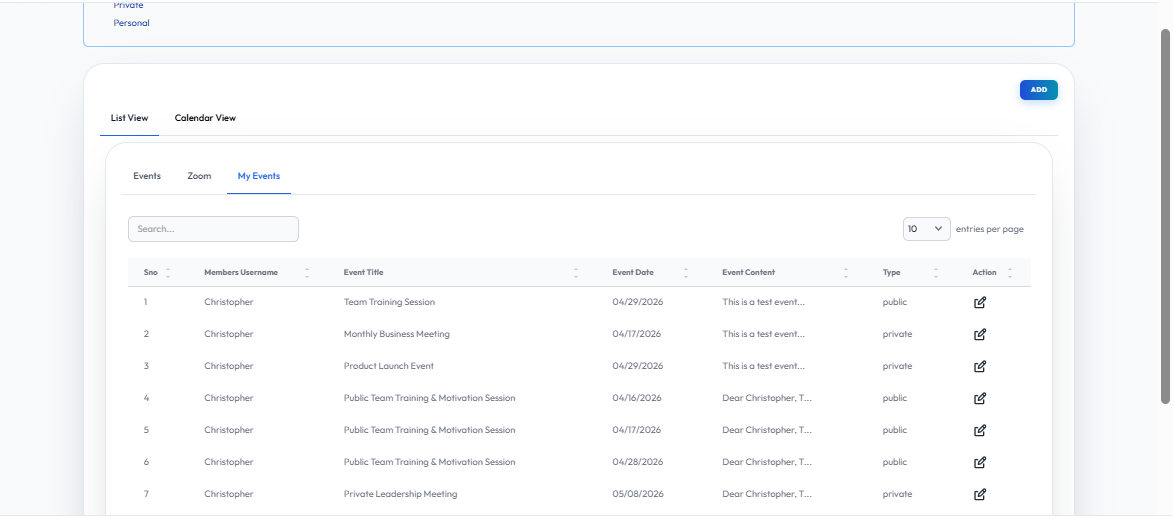
- My Event: Manage the events you are hosting or actively participating in, including attendee lists and schedules.
User Interface Walkthrough
Step
1
Event
Flow Definition
Explore the primary Event dashboard to get an overview of all upcoming training sessions, webinars, and corporate seminars available to you and your team.
Step
2
Event List
Flow Definition
Browse the detailed Event List to see specific dates, venues, and descriptions for all scheduled activities. You can register for events directly from this list.
Step
3
Event Zoom
Flow Definition
Access and manage virtual meetings and webinars directly through the Event Zoom integration, allowing seamless participation from anywhere.
Step
4
My Event
Flow Definition
Keep track of the specific events you are hosting or registered for. Manage your attendees, schedules, and personalized event details here.