Membership Packages
Define entry fees and PV (Point Value) assigned to packages.
Step-by-Step Guide
This section explains exactly how Membership Packages works, the exact data flow, and any conditions related to it.
Compensation Plan Setup
Setting up a Compensation Plan (Matrix/Binary) follows a strict, sequential 4-step process. Each step builds upon the previous one.
Define Tree
Before users can join, the system must know the skeleton (e.g., 3x3 Matrix, 1:1 Binary). This dictates spillovers.
Create Packages
You need "Packages" that users buy to occupy a spot. This sets the Registration Fee and the PV generated.
Commissions
Configure how PV is distributed. You set Referral Bonuses and Pairing/Level Bonuses here.
Set Limits
To prevent overpaying, you set daily/weekly Capping limits, and configure advanced Spillover logic.
Module Walkthrough (Step by Step)
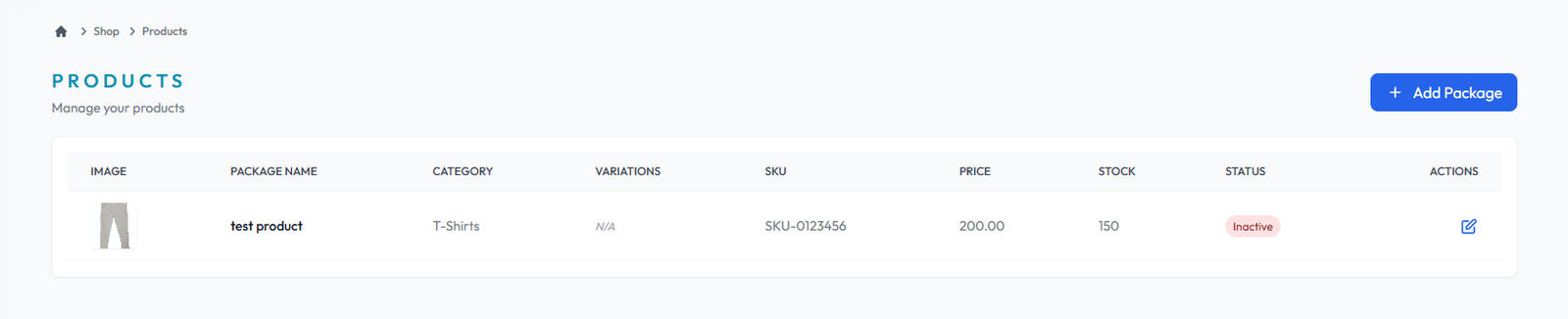
Package List
Flow Definition
Review the complete catalogue of available membership and enrollment packages. This interface allows administrators to audit active packages, their associated PV (Point Value), and base prices to ensure the catalog aligns with the compensation strategy.
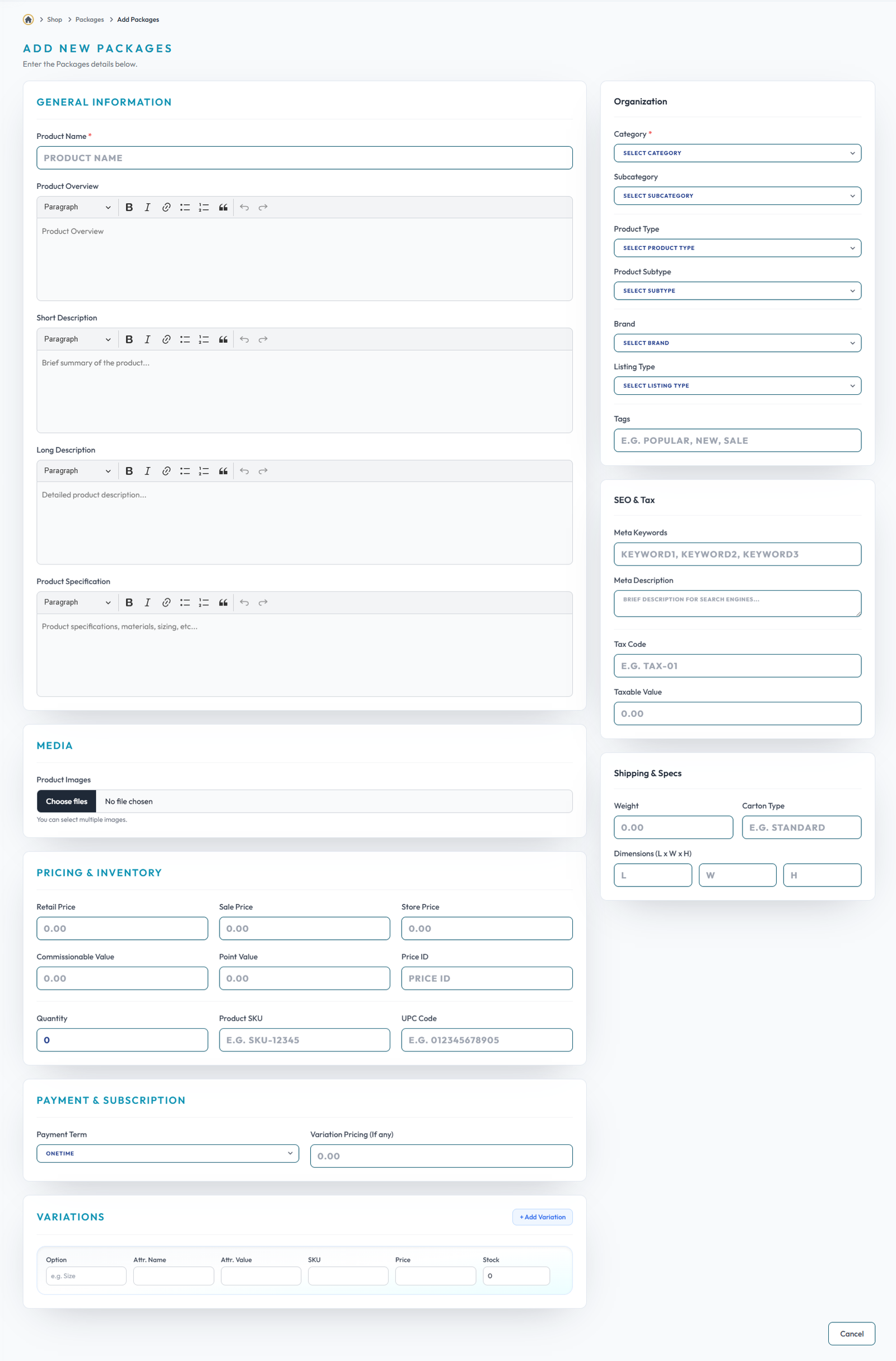
Add Packages
Flow Definition
Create new enrollment tiers by defining the package name, registration fee, and the specific PV generated upon purchase. This establishes the financial entry points and commission triggers for new distributors joining the network.
Once you have configured the settings on this page, proceed to the next module in the sidebar to continue your setup workflow.